

What is AI Automation? A Plain-English Explanation

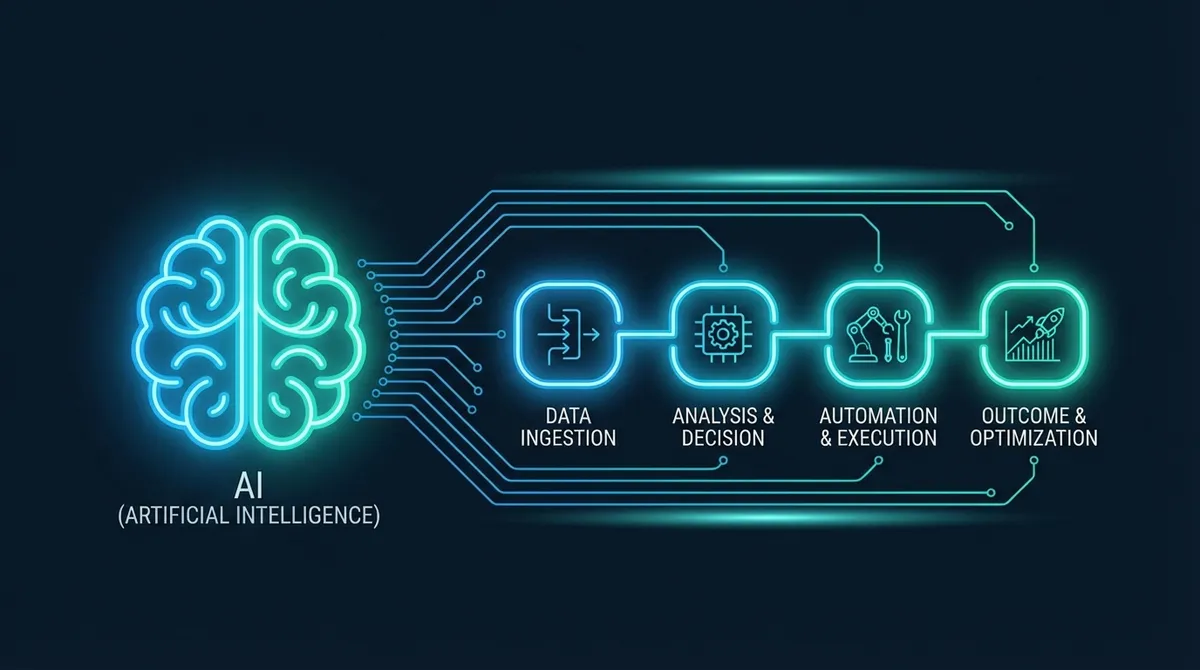
AI automation is the use of artificial intelligence to handle tasks and processes that previously required a human to think, decide, and act. Where traditional automation follows fixed rules ("if X happens, do Y"), AI automation can interpret context, handle variable inputs, make judgements, and adapt to situations it has not been explicitly programmed for.
In practical terms, it is the difference between software that can fill in a form automatically and software that can read an unstructured email, understand what the customer wants, decide the best response, and send it.
Both are automation. The second one requires intelligence.
Key Takeaways
- AI automation adds decision-making intelligence to workflow automation — handling variable and unstructured inputs that rule-based tools cannot
- Large language models (LLMs) are the AI component most commonly used in business automation today
- The most effective systems combine standard automation for predictable steps and AI for anything requiring interpretation
- Reliable AI automation always includes validation, monitoring, and human escalation paths for edge cases
- For UK SMEs, the return on investment is typically measurable within the first 30 to 60 days
The Problem with Traditional Automation
Rule-based automation has existed for decades and has delivered enormous value. Scheduled reports. Triggered emails. Data sync between systems. These work well when the inputs are consistent and the logic is simple.
The limitation shows up the moment variability enters the picture.
A traditional automation can send a payment confirmation when an order completes. It cannot read a complaint email, understand the customer's frustration, look up their order history, and draft a personalised response that addresses the specific issue. That requires judgement. That is where AI automation comes in.
What Makes Automation "AI"
The AI component in AI automation typically comes from one or more of the following:
Large language models (LLMs). Models like Claude, GPT-4, and Gemini can read and generate text with near-human comprehension. In an automation context, they handle the parts of a workflow that involve interpreting natural language, generating responses, summarising documents, or making decisions based on written information.
Computer vision. AI models that can read and interpret images, PDFs, and scanned documents. Used in automations that process invoices, ID documents, or any content that arrives as an image rather than structured data.
Classification models. AI that categorises inputs. Is this email a complaint or an enquiry? Is this transaction normal or suspicious? Which department should this ticket go to?
Prediction models. AI that forecasts based on patterns in data. Which leads are most likely to convert? Which stock items need reordering?
In most business automation projects, you are combining one or more of these with a workflow platform (n8n is our preferred choice — see our n8n automation guide) and your existing business tools.
What AI Automation Looks Like in Practice
Let us make this concrete. Here are real examples of AI automation systems.
Intelligent Lead Handling
A potential client fills in a contact form. Traditional automation: data goes into CRM, notification sent. AI automation: a language model reads the enquiry, identifies the specific service they are asking about, scores the lead based on the information provided (budget mentioned, timeline given, clear pain point), generates a personalised first response that addresses their actual question, and routes the lead to the right team member with a summary of the context.
The lead gets a response in two minutes that feels like it was written by someone who read their message. Because it was. This is the core of how our sales engines work — AI-powered lead handling at every stage of the funnel.
Invoice and Document Processing
Invoices arrive by email in varying formats. Some are PDFs. Some are Word documents. Some are scanned images. Traditional automation cannot handle this without a lot of pre-processing. AI automation extracts the key fields from any format, validates them, and posts the invoice to your accounting system. No manual data entry regardless of how the document was formatted.
Customer Support Triage
An AI model monitors your support inbox and classifies every incoming message: billing query, technical issue, cancellation request, general enquiry. It extracts the key information, looks up the customer record, and routes the ticket to the right team with a summary. Simple queries (password reset, invoice copy request) are handled automatically without human intervention. Complex issues are escalated with all the context already assembled.
This is a core use case for the AI chatbots we build — the same intelligence that handles live chat also works in email and ticketing systems.
Content and Report Generation
A business intelligence system collects data throughout the week. On Friday afternoon, an AI automation reads the data, interprets the trends, writes a plain-English summary of what happened and why it matters, and emails the report to the management team. No one had to write it.
AI Automation vs Standard Automation: When to Use Which
Use standard rule-based automation for:
- Processes where inputs are consistent and predictable
- Simple trigger-action sequences with no judgement required
- High-volume, repetitive tasks where the logic never changes
- Situations where explainability is critical (the automation must be able to say exactly why it did what it did)
Use AI automation for:
- Processes involving unstructured input (emails, documents, images, free-text forms)
- Tasks that currently require a human to read and interpret before acting
- Workflows with many possible paths depending on context
- Customer-facing interactions where natural language is involved
- Situations where the volume of manual work is driven by complexity, not just quantity
In practice, the most effective systems combine both. Standard automation handles the predictable steps. AI handles the parts where judgement is needed. For a look at how AI and RPA work together, see our breakdown of robotic process automation.
Common Misconceptions About AI Automation
"It will replace my team." AI automation removes the low-value, repetitive parts of people's jobs. The human judgement, relationships, and expertise do not go anywhere. What changes is that your team spends more time on work that actually uses their skills.
"It is only for big companies." The tools required to build AI automation are accessible to businesses of any size. We build AI automation systems for SMEs in Stoke-on-Trent and Staffordshire that deliver the same capabilities that enterprise companies had to spend millions to build a decade ago.
"It is not reliable enough yet." Modern LLMs are producing structured, consistent output at a level that is appropriate for business processes when well-implemented. The key is building proper validation, monitoring, and fallback logic around the AI component. This is standard practice.
"It is too expensive." The cost of AI API calls has dropped dramatically over the past two years. Processing thousands of documents or handling hundreds of customer queries per month with AI costs pennies. The return on investment, measured in time saved or errors avoided, is usually realised within the first month.
The Building Blocks of an AI Automation System
A typical AI automation system for a business consists of:
- Triggers — the events that start the automation (new email, form submission, scheduled time, webhook)
- Connectors — integrations with your existing tools (CRM, email platform, accounting system)
- AI layer — the language model or specialist model that handles the intelligent component
- Logic and routing — conditional paths based on what the AI determines
- Output actions — what the system does after processing (send email, update record, create task, notify team)
- Monitoring — error handling, alerting, and logging so you know when something goes wrong
You do not need to build this infrastructure from scratch. Platforms like n8n, combined with AI API access, provide most of the building blocks. What requires expertise is designing the system so the AI component is reliable, the error handling is robust, and the whole thing integrates cleanly with your existing operations. That is exactly what our AI automation service delivers.
Getting Started
The best entry point for AI automation is the same as any automation: identify the process where your team spends the most time on repetitive, low-value work, and that also involves reading, interpreting, or generating text.
That combination is the sweet spot. High volume, text-based, currently manual.
If that sounds like something in your business, we would be happy to talk through what an AI automation system would look like for you. Book a free consultation here and we will map out the options without any commitment.
Nate Denton
CEO, Denton Dynamics
Nate is the founder and CEO of Denton Dynamics, an AI consultancy and software development agency in Stoke-on-Trent. He has been building AI automation systems, bespoke software, and SEO strategies for UK businesses since 2022. Every article on this blog comes from direct implementation experience. Read his full profile.
Trending
Related post
Expand your knowledge with these hand-picked posts.

AI Integration Services: What They Are and Why You Need Them
AI integration services connect your disconnected business tools into one automated workflow. Here is what that means in practice.
Nate Denton - CEO, Denton Dynamics

Business Process Automation: A Practical Guide for SMEs
Business process automation removes repetitive manual work. Here is how SMEs are using it, what to automate first, and how to get started.
Nate Denton - CEO, Denton Dynamics


Ready to Build Something That Actually Works?
We build real systems. AI automation, bespoke apps, websites that rank, and sales engines that run while you sleep. Book a call and let's talk.