

n8n Automation: A Practical Guide for Businesses

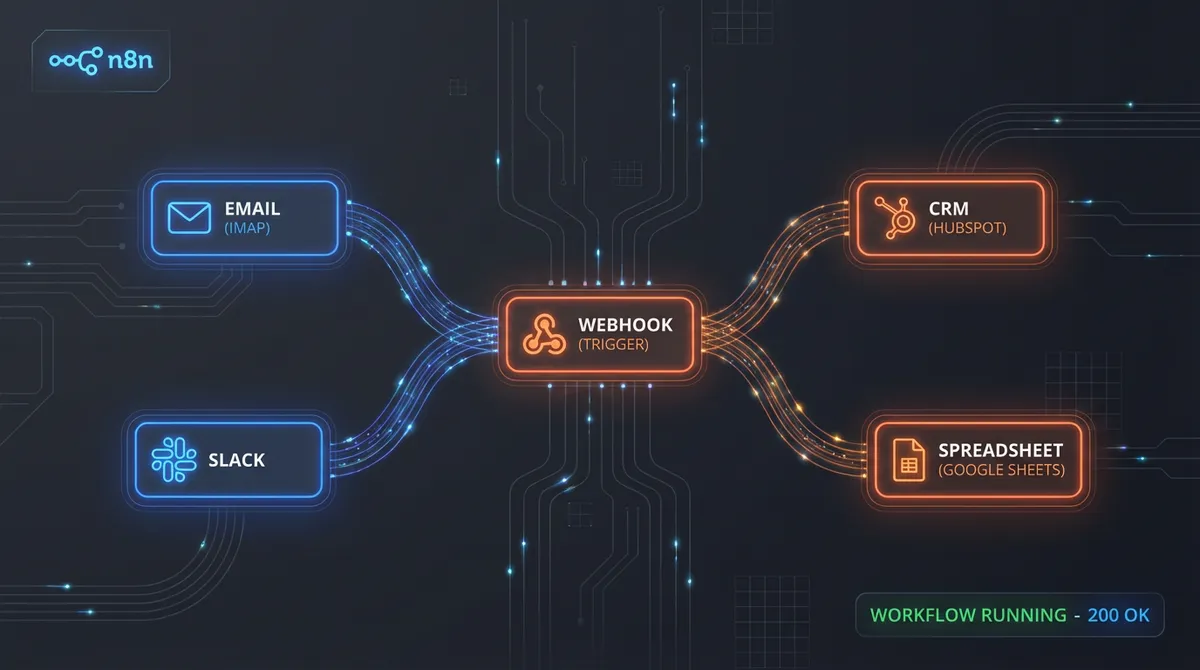
n8n is a workflow automation platform that connects your business tools and automates the sequences of tasks between them. An email arrives, data goes into your CRM, your team gets a notification, a follow-up is scheduled. All of that happens automatically, without anyone touching it.
It does what Zapier and Make do, but with considerably more flexibility, a much lower cost at scale, and the option to run it on your own infrastructure so your data never leaves your systems.
We use it on almost every AI automation project we build at Denton Dynamics. Here is why, and how it works.
Key Takeaways
- n8n connects 400+ apps using a visual canvas of triggers and action nodes
- Self-hosting means your workflow data stays on your own infrastructure — important for GDPR
- More flexible and cheaper at scale than Zapier, with better support for complex conditional logic
- Native AI integration lets you pipe data through language models inside any workflow
- Works best with an experienced partner for complex builds; manageable for non-technical teams once set up
What n8n Actually Does
n8n is a visual workflow builder. You connect "nodes" on a canvas, where each node represents either a trigger (something that starts the workflow) or an action (something the workflow does). Nodes are linked by arrows that represent the flow of data.
A simple workflow might be: new Typeform submission connects to create contact in HubSpot connects to send Telegram notification.
Three nodes. Built in about ten minutes. Now running automatically every time a new form comes in.
More complex workflows can branch based on conditions, loop through lists of items, call external APIs, run custom JavaScript or Python, retry on failure, and trigger sub-workflows. The canvas handles logic that would have required a developer to build from scratch a few years ago.
n8n ships with over 400 built-in integrations — Google Sheets, Slack, Notion, Airtable, Stripe, WooCommerce, Salesforce, and most things your business probably uses. For anything without a native integration, the HTTP node lets you connect to any API that accepts standard requests.
n8n vs Zapier vs Make
These three platforms are often compared, and they serve similar purposes, but the differences matter.
Zapier
Zapier is the most widely known and the easiest to get started with. For simple two-step "if this, then that" automations, it is fine. The problems start at scale.
Zapier charges per task execution. If your automations process 10,000 tasks a month, you are paying Zapier accordingly. For growing businesses with high-volume processes, the bills add up fast. Zapier also limits what you can do within a workflow. Branching logic, looping, and complex data transformation require workarounds that become brittle.
Make (formerly Integromat)
Make is more powerful than Zapier and better suited to complex workflows. It handles branching and looping well and is more affordable at scale. It is a strong option. The main limitation is the hosted-only model, meaning your data flows through Make's servers.
n8n
n8n is the most flexible of the three. The visual builder is as capable as Make, the pricing is more predictable, and the self-hosting option means you can run it on your own server, your own cloud, or a VPS. Your data does not leave your infrastructure.
The trade-off is that n8n requires slightly more technical setup than Zapier. It is not a no-code tool in the same sense, particularly if you are self-hosting. For a technical team or for clients working with an automation partner like us, that is not a barrier. For a non-technical business owner trying to set up their first automation alone, Zapier might be the faster starting point.
For anything beyond basic automations, and especially for businesses that handle customer data, n8n is our default choice. It underpins the sales automation systems and AI chatbot integrations we build for clients across Staffordshire.
Real n8n Workflows We Have Built
Lead Capture and Nurture
A form submission on a Next.js website triggers an n8n workflow. The workflow:
- Creates a new deal in the CRM (Pipedrive or HubSpot, depending on the client)
- Sends a Telegram notification to the sales team with the lead details
- Generates a personalised first-response email using Claude or GPT-4
- Sends the email within two minutes of the submission
- Schedules a follow-up task for 24 hours later if no reply is logged
- Tags the lead based on which service they enquired about
The business owner can see every lead, every communication, and every next action in one place, without touching any of it manually.
Invoice Processing
A client's accountant used to spend half a day each week processing supplier invoices. Each invoice arrived by email, had to be opened, key fields extracted, and entered into Xero. n8n now handles this:
- New email arrives in the designated inbox
- n8n passes the email to an AI model, which extracts supplier name, invoice number, date, line items, and total
- The extracted data is validated against a list of known suppliers
- The invoice is automatically created in Xero with all fields pre-populated
- A Slack message is sent to the accountant asking them to review and approve
- The original email is filed into the correct folder
The accountant now spends twenty minutes reviewing and approving rather than two hours entering data.
Post-Service Review Requests
A property services company wanted more Google reviews but nobody remembered to ask. n8n monitors their job management system and:
- Detects when a job is marked as complete
- Waits 24 hours
- Sends a personalised SMS to the customer using Twilio
- If no review link is clicked within 3 days, sends a follow-up email
- Logs the result back to the CRM
Their Google rating went from 3.9 to 4.6 in four months. The entire sequence runs without anyone thinking about it.
The Technical Flexibility That Sets n8n Apart
What separates n8n from consumer automation tools is the depth of what you can do inside a workflow.
Custom code nodes. When you need to do something that no pre-built integration supports, you can write JavaScript or Python directly inside an n8n node. This means there is essentially no limit to what a workflow can do.
Error handling. n8n supports try-catch logic at the workflow level. If a step fails, the workflow can take an alternative path, send an alert, retry after a delay, or gracefully exit instead of just crashing.
Sub-workflows. Large, complex automations can be broken into modular sub-workflows that are easier to maintain and reuse across projects.
Webhooks. n8n can receive webhooks from virtually any service and respond in real time. A Stripe payment triggers one workflow, a form submission triggers another, a GitHub push triggers a third.
Scheduling. Workflows can run on a cron schedule, as frequently as every minute or as infrequently as once a month.
AI integration. n8n has native AI nodes that connect to OpenAI, Anthropic, and other providers. You can pipe data into a language model, receive structured output, and continue the workflow based on what the AI decides. This is how we build intelligent document processing and automated customer handling inside the bespoke software and automation systems we deliver.
Self-Hosting n8n
The self-hosting option is one of n8n's most distinctive features and the reason we recommend it to clients who handle sensitive customer data.
When n8n runs on your own server, your workflow data, trigger payloads, and execution logs stay on your infrastructure. You are not relying on a third-party platform to handle customer information, financial data, or anything else that falls under GDPR obligations.
For most businesses, a small VPS (£5-£10 per month from providers like Hetzner or DigitalOcean) running n8n via Docker is sufficient to handle thousands of workflow executions per day.
The cloud-hosted version of n8n (n8n.io) is simpler to get started with and perfectly adequate for businesses that do not have specific data residency requirements. Both options use the same interface and the same workflow logic.
When to Use n8n and When Not To
n8n is not always the right tool. Use it when:
- You need to connect multiple systems that do not natively talk to each other
- Your automation involves conditional logic, looping, or complex data transformation
- You want to keep your data on your own infrastructure
- You need a platform that can scale without costs escalating proportionally
Consider alternatives when:
- You need a one-step "if this, then that" automation and you are not technical. In that case Zapier is quicker.
- Your automation needs are entirely within one ecosystem (Google Workspace, for example — native automation tools may be simpler).
- You need physical hardware integration. n8n is a software automation tool, not an IoT platform.
Not sure which tools are right for your business? Our guide to business automation software covers the full landscape.
Getting n8n Running for Your Business
If you want to explore what n8n can automate in your business, the fastest starting point is to identify the one process that costs your team the most time each week. Map it step by step. Then look at whether n8n has native integrations for the tools involved.
The n8n documentation is comprehensive, and the community forum is active. For straightforward automations, it is possible to get something running in an afternoon.
For more complex workflows, particularly those involving AI, custom logic, or multi-system integrations, having an experienced automation partner saves a significant amount of time and avoids the common failure modes.
We have been building n8n workflows for businesses in Stoke-on-Trent and across the UK for a while now. If you want to understand what is possible for your specific operations, book a call and we will walk through it with you.
Nate Denton
CEO, Denton Dynamics
Nate is the founder and CEO of Denton Dynamics, an AI consultancy and software development agency in Stoke-on-Trent. He has been building AI automation systems, bespoke software, and SEO strategies for UK businesses since 2022. Every article on this blog comes from direct implementation experience. Read his full profile.
Trending
Related post
Expand your knowledge with these hand-picked posts.

AI Integration Services: What They Are and Why You Need Them
AI integration services connect your disconnected business tools into one automated workflow. Here is what that means in practice.
Nate Denton - CEO, Denton Dynamics

Business Process Automation: A Practical Guide for SMEs
Business process automation removes repetitive manual work. Here is how SMEs are using it, what to automate first, and how to get started.
Nate Denton - CEO, Denton Dynamics


Ready to Build Something That Actually Works?
We build real systems. AI automation, bespoke apps, websites that rank, and sales engines that run while you sleep. Book a call and let's talk.