
Invoice Automation: Stop Wasting Hours on Manual Billing

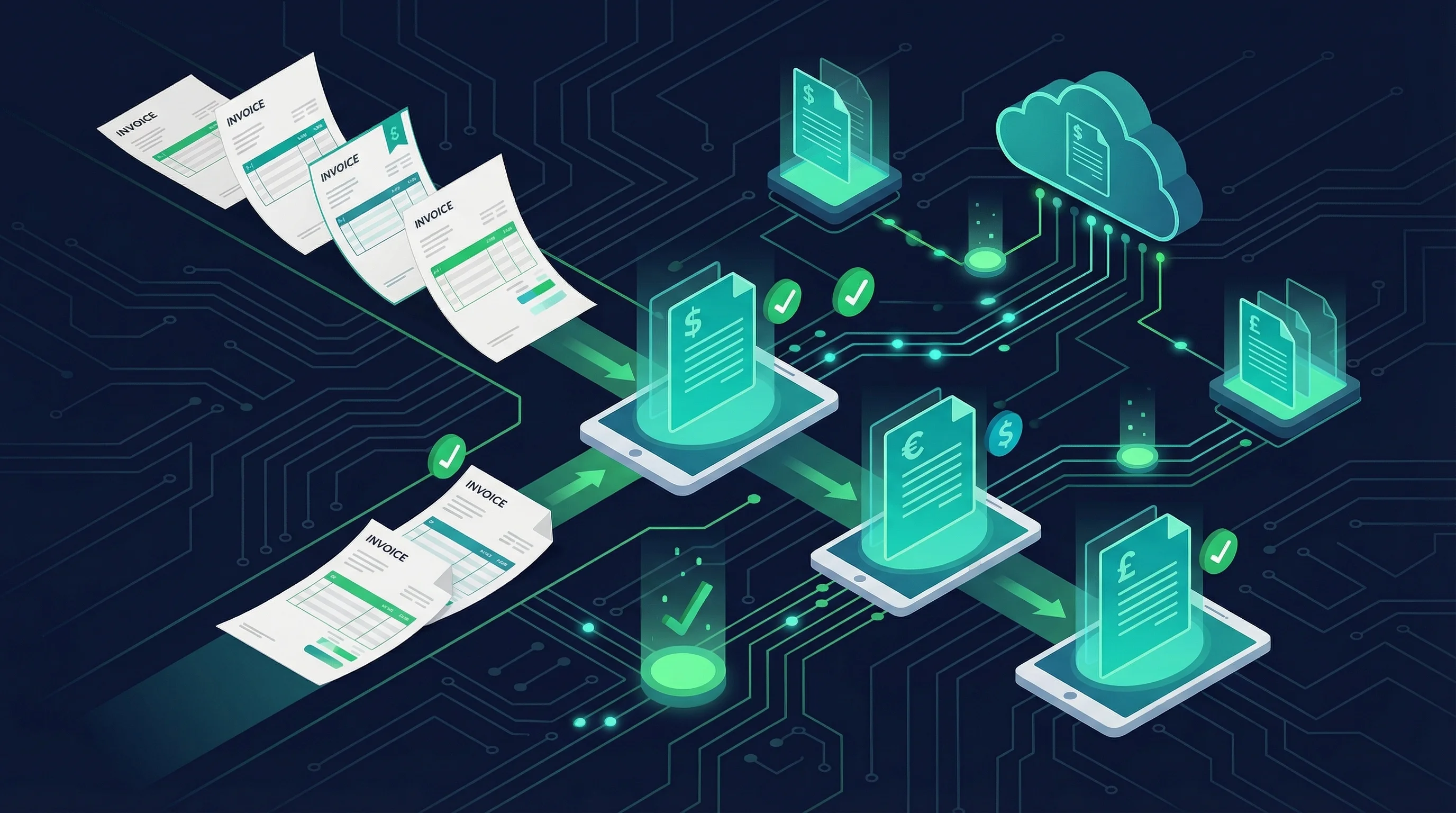
Invoice automation exists because every small business owner knows the feeling. The job is done, the client is happy, but the invoice has not been sent yet because nobody has had time to sit down and create it. When it finally goes out, it is three days late. Payment terms start from the invoice date, not the completion date. Cash flow suffers because of an admin bottleneck that should not exist.
Invoice automation removes that bottleneck. It handles the steps between completing a job and receiving payment — generating the invoice, sending it, tracking whether it has been opened, chasing overdue payments, and reconciling what has been paid against what is outstanding. All of it runs without someone manually sitting at a screen doing data entry.
This is not futuristic technology. It is workflow automation applied to one of the most universal business processes that exists. And for small businesses where cash flow is everything, the impact is immediate and measurable.
Key Takeaways
- Invoice automation covers the full lifecycle: generation, sending, tracking, chasing, and reconciliation
- Most small businesses spend three to five hours per week on invoicing that could be handled automatically
- The best approach is automating your existing accounting software (Xero, QuickBooks) rather than replacing it
- AI-enhanced invoice processing can handle inbound supplier invoices with variable formats
- The ROI is measured in weeks, not months — the time savings start from day one
What Invoice Automation Actually Covers
Invoice automation is not just "sending invoices automatically." It covers the entire lifecycle of an invoice, from creation to payment reconciliation.
Invoice Generation
When a job is complete, an invoice is created automatically. The trigger might be a status change in your project management tool, a completion flag in your CRM, or a manual button press that kicks off an automated workflow. The invoice is populated with the correct client details, line items, quantities, rates, and tax calculations — pulled from the systems where that data already lives.
No one opens a blank invoice template and types in the details. The data flows from the source systems into the invoice automatically.
Invoice Sending
The generated invoice is sent to the client via email, with the correct PDF attached, the correct payment terms stated, and the correct payment links or bank details included. The email itself can be personalised based on the client, the service, or the value of the invoice. It goes out immediately when the trigger fires — no three-day delay because someone was busy.
Payment Tracking
Once an invoice is sent, the automation monitors whether it has been paid. Most accounting systems track payment status, and the automation reads that status. When a payment is received, the workflow can trigger a thank-you notification, update the project status in your CRM, and move the client record to the appropriate stage.
Payment Chasing
This is where most small businesses lose money. An invoice goes overdue. Nobody remembers to follow up because they are busy with actual work. The client does not pay because they have not been reminded. The cycle repeats.
Automated payment chasing sends reminders on a schedule. A polite nudge three days before the due date. A firmer reminder on the due date. An escalation if payment has not arrived seven days after. Each reminder is sent automatically, with the invoice details and payment link included, until the payment is received or a human intervenes.
Inbound Invoice Processing
Invoice automation is not just about invoices you send. It also covers invoices you receive. Supplier invoices arrive by email, each in a different format. Someone has to open each one, extract the key details, and enter them into the accounting system.
AI-enhanced automation handles this by reading the invoice (PDF, image, or email body), extracting the supplier name, invoice number, date, line items, tax, and total, validating the data against known suppliers, and pushing it into the accounting system for review and approval. What used to take hours of data entry now takes minutes of review.
The Cost of Manual Invoicing
Manual invoicing is one of those processes that does not feel expensive because it is spread across many small tasks. But when you add it up, the numbers are significant.
Consider a business that sends fifty invoices per month. Each invoice takes an average of five minutes to create, two minutes to check, and one minute to send. That is six hours and forty minutes per month just on creation and sending. Add in the time spent chasing overdue payments — checking which invoices are outstanding, drafting reminder emails, following up by phone — and you are looking at another three to four hours per month.
That is ten hours per month, or one hundred and twenty hours per year, spent on a process that is almost entirely rule-based and automatable.
The indirect costs are higher. Late invoicing delays cash flow. Inconsistent chasing means invoices go unpaid for longer. Manual data entry introduces errors — wrong amounts, wrong client details, wrong VAT rates — that create accounting headaches downstream.
For sole traders and micro-businesses, this is the owner doing the work. Every hour spent on invoicing is an hour not spent on billable work. The opportunity cost is real and measurable.
How Automated Invoice Workflows Work
The technical implementation depends on your accounting system, your other business tools, and the complexity of your invoicing process. Here is a typical setup we build for UK small businesses.
The Stack
- Accounting system: Xero or QuickBooks (both have robust APIs)
- Workflow platform: n8n (self-hosted for data control and cost-effectiveness)
- Trigger source: CRM (Pipedrive, HubSpot), project management tool (Asana, Monday), or a simple form
- Communication: Email via the accounting system's built-in sending, or via a transactional email service for more control over formatting
The Workflow
- A job is marked as complete in the CRM or project management tool
- The status change triggers an n8n webhook
- n8n pulls the client details and job details from the CRM
- n8n creates a draft invoice in Xero via the API, populating all fields automatically
- If the business wants a human review step, a notification is sent (Slack, Telegram, email) with a link to review the invoice. If not, the invoice is approved and sent automatically
- Xero sends the invoice to the client with a payment link
- n8n monitors the invoice status in Xero on a daily schedule
- If the invoice is unpaid three days before the due date, a reminder email is sent
- If the invoice passes the due date, escalating reminders are sent at configured intervals
- When payment is received, the CRM is updated and the project is marked as paid
The entire sequence runs without manual intervention. The business owner sees a notification when an invoice is sent and another when payment is received. Everything between those two points is handled automatically.
Tools and Approaches
Automating Your Existing Accounting Software
The most practical approach for most small businesses is to automate around the accounting system you already use. Xero and QuickBooks both have comprehensive APIs that allow external systems to create invoices, update statuses, and read payment data.
This means you do not need to replace your accounting software or learn a new system. The automation plugs into what you already have. Your accountant continues to use the same system they are familiar with. The data stays where it should be.
Workflow Platform Automation
Platforms like n8n sit between your business systems and orchestrate the invoice workflow. They handle the triggers, the data transformation, the conditional logic, and the communication with each system's API.
For a detailed guide on how n8n works and why we use it, see our n8n automation guide.
Built-In Accounting Automation
Both Xero and QuickBooks have basic automation features built in — recurring invoices, automated payment reminders, and bank reconciliation rules. For very simple invoicing processes, these built-in features might be sufficient. The limitations appear when you need the invoicing process to connect with systems outside the accounting platform (CRM, project management, custom applications).
Custom Builds
For businesses with complex invoicing requirements — multi-currency, milestone-based billing, complex discount structures, approval chains — a custom-built invoicing system can be more efficient than trying to bend an off-the-shelf tool into shape. This is where our bespoke software service comes in, building exactly what the business needs without the constraints of a generic platform.
Calculating Your ROI
The ROI calculation for invoice automation is straightforward.
Direct time savings. Calculate the hours per week your team currently spends on invoice-related tasks: creation, sending, chasing, reconciliation, error correction. Multiply by the hourly cost of the person doing the work. Multiply by 52 weeks. That is your annual cost of manual invoicing.
For a business spending four hours per week at an effective cost of twenty-five pounds per hour, that is five thousand two hundred pounds per year in labour cost alone.
Cash flow improvement. Invoices sent immediately rather than three days late mean payment arrives earlier. Automated chasing reduces the average days-to-payment. For a business with thirty-day terms, reducing the average payment time from forty-five days to thirty-two days can significantly improve working capital.
Error reduction. Manual data entry errors lead to invoice disputes, credit notes, and resubmission. Each error costs time to investigate and resolve. Automation eliminates the data entry step, which eliminates the errors.
Implementation cost. A straightforward invoice automation project using n8n and your existing accounting software typically costs between one and three thousand pounds, plus five to ten pounds per month for infrastructure. The payback period is usually measured in weeks.
For most small businesses, AI automation applied to invoicing is one of the highest-ROI projects available. The process is well-defined, high-frequency, and the savings are easy to measure.
Common Implementation Mistakes
Automating Without Standardising
If your current invoicing process is inconsistent — different people create invoices differently, line item descriptions vary, payment terms change without reason — automating it will amplify the inconsistency. Standardise the process first: consistent naming conventions, standard line items, fixed payment terms. Then automate the standardised process.
Skipping the Human Review Step
For the first few weeks of any invoice automation, include a human review step before invoices are sent. This catches edge cases the automation does not handle yet and builds confidence in the system. Once the automation has proven itself reliable across a range of scenarios, the review step can be removed or made optional.
Ignoring the Chasing Workflow
Many businesses automate invoice creation and sending but leave payment chasing as a manual process. This is like building half a bridge. The chasing workflow is where the real cash flow improvement comes from. Automate it from the start.
Not Connecting to the CRM
If your invoicing automation does not update your CRM, your sales team has no visibility into whether clients have paid. They continue nurturing relationships without knowing that a payment is overdue. Connecting the invoice status back to the CRM gives the full picture.
Over-Engineering the First Version
The first version of your invoice automation should handle the standard case — a single invoice for a completed job, sent to one contact, with standard payment terms. Edge cases (partial invoicing, milestone billing, multi-contact sending) can be added in subsequent iterations. Getting the standard case live quickly delivers immediate value while you refine the exceptions.
What to Do Next
If you are still creating invoices manually, you are spending hours each week on a process that can be fully automated. The tools are mature, the costs are low, and the savings start immediately.
Start by mapping your current invoicing process end to end. How does a job completion become an invoice? How does the invoice get to the client? How do you track payment? How do you chase overdue invoices? Write it down step by step.
Once you have that map, the automation opportunities become obvious. For a detailed look at the broader automation landscape, see our guide to business automation software and our practical guide to business process automation.
If you want help implementing invoice automation for your business, or if you are looking at a broader sales engine that handles the full cycle from lead to payment, book a call and we will work through it with you.
Nate Denton
CEO, Denton Dynamics
Nate is the founder and CEO of Denton Dynamics, an AI consultancy and software development agency in Stoke-on-Trent. He has been building AI automation systems, bespoke software, and SEO strategies for UK businesses since 2022. Every article on this blog comes from direct implementation experience. Read his full profile.
Trending
Related post
Expand your knowledge with these hand-picked posts.
AI Integration Services: What They Are and Why You Need Them
AI integration services connect your disconnected business tools into one automated workflow. Here is what that means in practice.
Nate Denton - CEO, Denton Dynamics
Business Process Automation: A Practical Guide for SMEs
Business process automation removes repetitive manual work. Here is how SMEs are using it, what to automate first, and how to get started.
Nate Denton - CEO, Denton Dynamics


Ready to Build Something That Actually Works?
We build real systems. AI automation, bespoke apps, websites that rank, and sales engines that run while you sleep. Book a call and let's talk.